
Digital Invoicing Features

FBR Compliance
Stay fully compliant with SRO 1413(I)/2025 & SRO 709. Submit e-invoices to FBR through seamless PRAL integration without manual intervention.

Customizable Invoices
Tailor your invoices to match your business requirements. Add, edit, or remove fields to create invoices that work for your workflows.

Real-Time Tracking
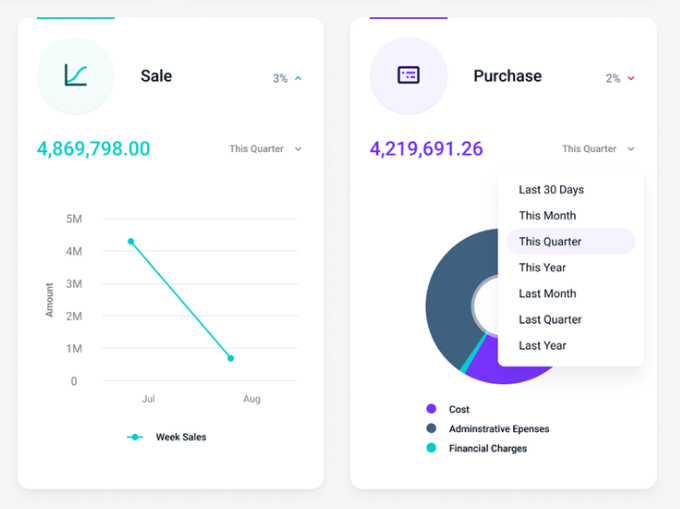
Monitor the status of every invoice in real time from one dashboard. Get full visibility into submissions, approvals, and rejections.

Easy Integration With IRIS
Connect effortlessly with the IRIS portal and post all business e-invoices quickly and securely.

Saved Customer & Product Data
No need to re-enter customer or product information repeatedly—your data is safely stored for future use.

One-Stop Business Management
Go beyond invoicing—track ledgers, manage inventory, and oversee operations from a single platform.
FBR Digital Invoicing Help & Support
Need guidance using Vaival Digital Invoicing?
We provide step-by-step walkthroughs for:
-
System setup and configuration
-
Defining items and customers
-
Generating and submitting invoices
Stay fully compliant and confident with our hands-on support.
FAQs
Do I need to whitelist my IP for FBR Digital Invoicing?
No. Vaival Digital Invoicing is already registered with FBR’s systems, so you can start issuing e-invoices immediately without any additional IP setup.
Will e-invoicing work if I change my internet connection?
Yes. Vaival works with any internet service provider. Changing your connection does not affect your FBR digital invoicing registration.
Can I use Vaival Digital Invoicing without installing software?
Absolutely. Our cloud-based platform requires no installation. You can access your account securely from any computer or laptop at any time.
Does Vaival Digital Invoicing also manage stock and inventory?
Yes. In addition to being fully FBR-compliant, the software tracks stock levels, generates inventory reports, and manages sales seamlessly.
Do I need to enter HS Code, SRO number, and UOM for every invoice?
No. Vaival stores all item-related details like HS Code, SRO number, and UOM. These fields are automatically applied each time you create an e-invoice.
Can the software auto-fill customer details?
Yes. Customer information such as name, address, and NTN is saved and automatically loaded whenever you generate an invoice, saving time and reducing errors.
Can I customize what appears on my e-invoices?
Yes. Vaival Digital Invoicing allows you to control which details appear on printed or digital invoices, letting you tailor the format to your business needs.
Are you one of the FBR Licensed Integrators?
Our solution is in the fourth category. During registration, select “Proceed with PRAL as Licensed Integrator” and provide Vaival Digital Invoicing as your software for FBR e-invoicing.
Downloads
0
Years of
experience
0
Countries
0
Cases
Complete
0
User
Industries Covered



Our Clients



















Happy Clients
Customers Love Our ERP Solution

“Due to the recent COVID-19 pandemic and the need for most of us to work from home, I was looking to upgrade to an online invoicing system to replace my old system that was not online.
For the price, it offers one of the best features available. I would totally recommend this!”
Fazeel M

“Awesome tool for a small business. I’ve been using deskera for 2 weeks and it’s been a fabulous experience. It’s very well made for our company system and would recommend to try it out.”
The UI is very clean. Have to try out all the features and the tool looks promising. Keep it up team!